
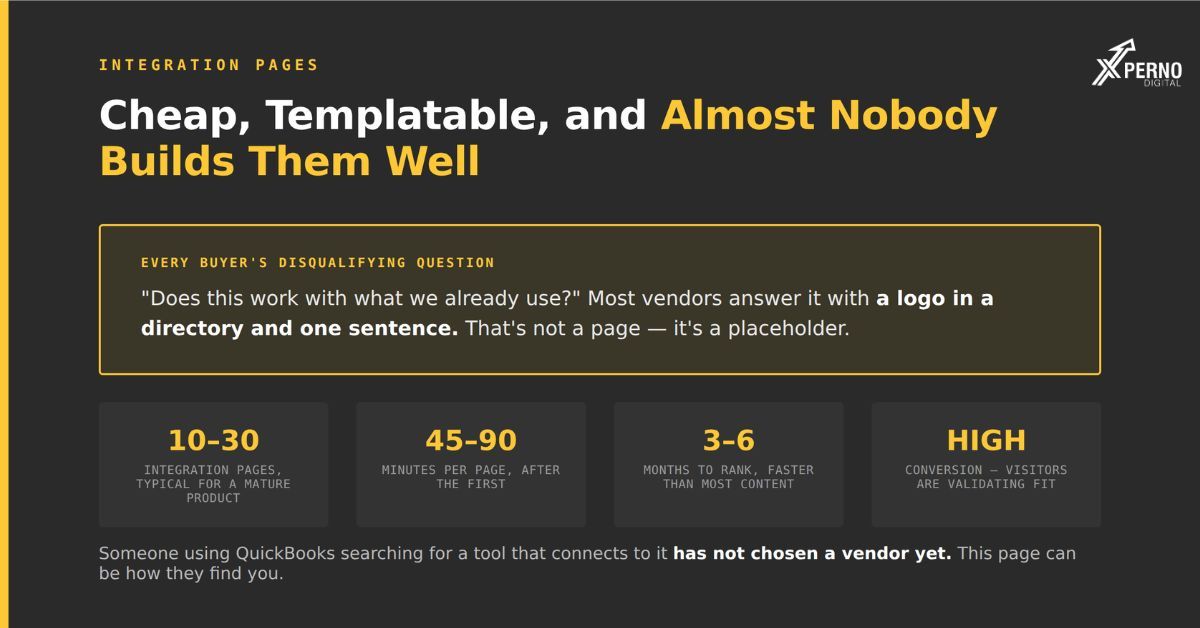
Integration pages answer a question nearly every B2B software buyer asks before committing does this work with what we already use and almost no vendor answers it well.
Every buyer with an existing tech stack has a disqualifying question. If you do not connect to their CRM, their accounting system or their identity provider, nothing else about your product matters.
Three properties make these pages unusually good value:
The query volume is real and persistent. “[Your product] [other tool] integration” and “does [your product] work with [other tool]” get searched steadily by people already evaluating you.
Competition is thin: Most vendors have a directory listing with a logo and one sentence. That is not a page it is a placeholder, and it ranks and cites accordingly.
They are templatable without being thin, if you template the structure rather than the content.
What queries do they target?
Four query shapes, all high-intent, all from people already in evaluation:
- Query shape Buyer state.
- “[you] [tool] integration” Validating stack fit.
- “Does [you] work with [tool]” Same, phrased as a question.
- “[category] that integrates with [tool]” Building a shortlist filtered by stack.
- “[tool] [category] integration” Coming from the other product’s ecosystem.
The third is worth noting because it is a discovery query rather than a validation one. Someone using QuickBooks searching for inventory software that connects to it has not yet chosen a vendor. A page targeting that phrasing can bring you a buyer who did not know you existed.
In AI search the same queries appear conversationally: “We use QuickBooks and Shopify, what inventory tool connects to both?” That prompt needs a source stating your integrations as extractable facts. A logo in a directory cannot answer it.
What does a good integration page contain?
Seven sections, each stating a checkable fact rather than a capability claim.
1. Direct answer:
[Product] connects to QuickBooks Online via a native two-way integration. Invoices, customers and payments sync automatically every 15 minutes. Setup takes about 10 minutes and requires QuickBooks Online Plus or higher. QuickBooks Desktop is not supported.
Four facts, including a limitation, in the first paragraph. This is what gets extracted.
2. What data flows, and which direction:
The section most pages omit and buyers most want.
From [Product] to QuickBooks: Invoices, credit notes, payments
From QuickBooks to [Product]: Customer records, chart of accounts, tax rates
Not synced: Purchase orders, inventory valuations, payroll
A simple table. Every row is an extractable fact:
3. How to set it up:
Numbered steps with realistic time. Not “seamless setup” the actual steps and the actual duration.
4. What it requires:
Plan tiers, permissions, minimum versions, admin access. This is where buyers get caught out and where a page earns trust by being upfront.
5. What it does not do?:
The limitations stated plainly.
Historical data before your connection date is not imported automatically. Multi-currency is supported one way only. Custom fields do not map.
This is the section that separates a real page from a marketing placeholder. It also prevents support tickets and refunds from buyers who assumed otherwise.
6. Common problems and fixes
Three to five real issues from your support queue, with resolutions. Genuinely useful and it targets long-tail troubleshooting queries nobody else covers.
7. FAQ:
The actual questions your support team receives about this integration.
How many should you build?
One per meaningful integration typically ten to thirty for a mature product.
How to prioritise:
1. Integrations your customers actually use most: Pull the data from your own product.
2. Integrations that appear in lost-deal notes: “They needed X and we could not confirm we supported it.”
3. Integrations with large ecosystems: Where the other product’s user base is big enough that discovery queries have volume.
4. Integrations you are asked about but do not have: Build a page stating that honestly, with the workaround if one exists. This is counterintuitive and it captures a real query that currently returns nothing useful.
What to skip?: Integrations nobody uses, and anything where you would be padding to fill the sections.
How do you template these without making them thin?
Template the structure; write the content individually.
The failure mode is generating thirty pages by swapping a product name in the same paragraph. Near-duplicate content performs poorly in search and provides nothing extractable for AI citation, because there is nothing specific to extract.
What should be identical across pages?: Section order, headings, table structure, schema, page layout.
What must be different on every page?: Which fields sync, which direction, sync frequency, setup steps, plan requirements, limitations, common problems.
The test: Could you swap the product name on this page for a different integration and have it still be accurate? If yes, the page is a template rather than a page, and it will not work.
Realistic effort: The first page takes two to three hours because you are building the structure. Subsequent pages take 45–90 minutes each, because the structure is set and only the specifics change. Twenty pages is a project of about three weeks at a few hours a week not a quarter.
Who should write them?
Someone with access to the integration’s actual behaviour usually support or engineering, not marketing.
The specifics that make these pages work which fields map, what the sync frequency actually is, what breaks are not in marketing’s knowledge.
A workable process: Marketing owns the structure and the writing; support or engineering supplies the facts in a fifteen-minute conversation per integration; marketing writes it up; the technical person checks it.
Your support queue is the best source for section 6. The three most common tickets about each integration are the three problems to document.
What results should you expect?
Integration pages typically rank within three to six months and convert well, though volume per page is low.
Search: These are low-competition queries. A well-built page frequently ranks within a quarter, which is faster than most content.
Conversion: High per visit. Someone searching for an integration is validating fit, not browsing.
AI citation: These get pulled for stack-fit questions, which are common in conversational prompts. A page stating “syncs invoices, customers and payments every 15 minutes; requires QuickBooks Online Plus” contains exactly the extractable facts those prompts need.
Volume caveat: Individual pages get modest traffic. The value is in aggregate twenty pages each bringing a small number of highly qualified visitors, plus the collective effect on stack-fit queries in AI answers.
What to measure: Rankings for “[you] [tool] integration” terms, conversion rate on the pages, and whether your integrations appear correctly when you ask an AI engine what your product connects to.
Frequently Asked Questions:
How many integration pages should a SaaS company have?
One per meaningful integration. Ten to thirty is typical for a mature product. Skip integrations nobody uses.
Should I build a page for an integration I don’t have?
For frequently requested ones, yes state honestly that it is not supported, describe any workaround, and say whether it is planned. That query currently returns nothing useful, and honesty there builds more trust than silence.
Can I generate these programmatically?
Only if the content genuinely differs per page. Templating structure works; templating content produces near-duplicates that neither rank nor get cited.
Should integration pages be indexed?
Yes. They target real queries and answer real questions. Keep them out of the main navigation if there are many — a directory page linking to all of them is sufficient.
What about integrations built by third parties or via Zapier?
Document them, but be explicit about who built and supports them. Buyers need to know whether a problem is your responsibility or someone else’s.
How often do these need updating?
Whenever the integration changes, and annually otherwise. An integration page describing a sync behaviour that changed six months ago generates support tickets and erodes trust.